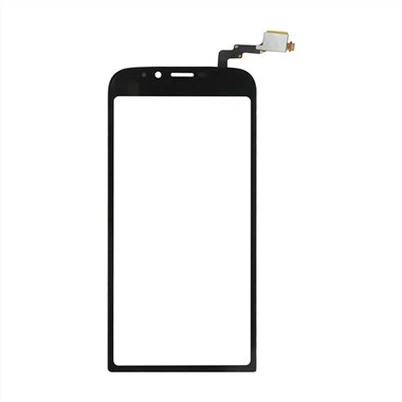
LCD Screens ua haujlwm li cas?
Tso lus
Hauv lub hnub nyoog digital, LCD cov ntxaij vab tshaus tau dhau los ua ib feem tseem ceeb ntawm peb lub neej niaj hnub, los ntawm smartphones thiab laptops mus rau TV thiab digital signage.
Tab sis koj puas tau xav paub tias cov ntxaij vab tshaus no ua haujlwm li cas kom xa cov duab zoo nkauj thiab cov xim zoo nkauj?
Raws li tus kws tshaj lij hauv kev siv thev naus laus zis, kuv yuav coj koj mus rau lub ntiaj teb zoo nkauj ntawm cov ntxaij vab tshaus LCD, nthuav tawm cov txheej txheem nyuaj uas ua rau cov cuab yeej no tseem ceeb heev hauv peb lub ntiaj teb niaj hnub no.
Peb mam li delve rau hauv lub hauv paus Cheebtsam uas tsim ib tug LCD npo thiab tshawb txog lub luag hauj lwm tseem ceeb uas cov kua muaju ua si nyob rau hauv no technology.
Peb tseem yuav tso lub teeb rau ntawm cov txheej txheem sib txawv ntawm kev teeb pom kev zoo, uas yog qhov tseem ceeb rau kev pom cov duab ntawm qhov screen.
Tsis tas li ntawd, peb yuav rhuav tshem cov kev tshawb fawb tom qab pixel tsim nyob rau hauv cov lus qhia LCD, txheej txheem uas yog qhov tseem ceeb rau qhov pom tseeb thiab pom tseeb ntawm cov duab peb pom. Peb tseem yuav tham txog kev ua haujlwm ntawm cov ntxaij lim dej xim, uas yog lub luag haujlwm rau cov nplua nuj thiab ntau yam hues peb nyiam ntawm cov ntxaij vab tshaus no.
Thaum kawg, peb yuav taug kev los ntawm ntau hom LCD cov ntxaij vab tshaus muaj nyob rau hauv kev ua lag luam niaj hnub no, nkag siab txog lawv cov yam ntxwv tshwj xeeb thiab kev siv.
1. Cov Cheebtsam ntawm ib qho screen LCD
Hauv plawv ntawm txhua lub vijtsam LCD, muaj peb lub hauv paus tseem ceeb uas ua haujlwm ua ke los tsim cov duab peb pom.
Firstly, lub backlight muab lub teeb qhov tsim nyog rau cov zaub.
Thib ob, cov kua siv lead ua kua txheej, uas yog sandwiched ntawm ob lub polarizing lim, tswj lub teeb los ntawm lub teeb rov qab los tsim cov duab. Thaum kawg, cov xim lim ntxiv cov xim tsim nyog rau cov duab.
Backlight: Qhov no yog lub teeb ci rau qhov screen. Yog tsis muaj nws, cov kua siv lead ua kua txheej yuav tsis tuaj yeem tswj lub teeb los tsim cov duab.
Liquid Crystal Layer: Cov txheej no yog tsim los ntawm ntau lub hlwb me me uas muaj cov kua siv lead ua kua.
Thaum siv hluav taws xob tam sim no, cov khoom siv lead ua no hloov lawv txoj kev taw qhia, yog li tswj lub teeb los ntawm lub teeb rov qab.
Xim Lim: Cov lim dej no ntxiv xim rau cov duab tsim los ntawm cov kua siv lead ua kua txheej.
Txhua pixel ntawm ib qho screen LCD yog tsim los ntawm peb sub-pixels: ib qho nrog lim liab, ib qho nrog lub lim ntsuab, thiab ib qho nrog lub lim xiav.
Lub luag haujlwm ntawm Liquid Crystals hauv Display Technology
Delving rau hauv lub hauv paus ntawm LCD technology, peb pom lub ntiaj teb fascinating ntawm cov kua muaju.
Cov khoom tshwj xeeb no, uas nthuav tawm cov khoom ntawm cov kua thiab cov khoom siv lead ua, yog cov tseem ceeb hauv cov ntxaij vab tshaus LCD.
Lawv muaj fluidity ntawm cov kua, tab sis lawv cov molecules yog teem nyob rau hauv ib tug crystal-zoo li txoj kev.
Qhov ob qhov xwm txheej no yog dab tsi ua rau lawv zoo meej rau kev siv thev naus laus zis.
Thaum cov hluav taws xob tam sim no siv rau cov kua siv lead ua kua, lawv cov qauv molecular hloov.
Qhov kev hloov pauv hauv cov qauv no hloov txoj kev lub teeb cuam tshuam nrog lawv.
Los ntawm kev tswj cov tam sim no, peb tuaj yeem tswj cov teeb pom kev zoo uas dhau los ntawm cov kua siv lead ua kua, tsim kom muaj cov xim sib txawv. Qhov no yog li cas cov duab tau tsim ntawm lub vijtsam LCD.
Tswv yim: Txhawm rau txuas ntxiv lub neej ntawm koj lub vijtsam LCD, tsis txhob tso nws rau qhov kub thiab txias.
Cov kua nplaum ua kua muaj qhov kub thiab txias, thiab qhov kub thiab txias tuaj yeem ua rau lawv ua haujlwm tsis zoo.
Tsis tas li ntawd, nco ntsoov ntxuav koj lub vijtsam nrog cov ntaub mos, qhuav kom tsis txhob khawb thiab puas rau cov kua muaju.
3. Nkag siab txog cov txheej txheem Backlighting hauv cov ntxaij vab tshaus LCD
Ib qho tseem ceeb tshaj plaws ntawm lub vijtsam LCD yog cov txheej txheem teeb pom kev zoo.
Cov txheej txheem no yog lub luag haujlwm rau illuminating pixels ntawm lub vijtsam, ua rau cov duab pom rau tus neeg saib.
Cov txheej txheem backlighting pib thaum lub teeb los ntawm cov fluorescent lossis LED teeb yog diffused hla lub vijtsam los ntawm lub vaj huam sib luag hu ua diffuser. Lub teeb diffused no ces dhau los ntawm cov ntxaij lim dej polarizing thiab cov kua siv lead ua kua, uas siv lub teeb los tsim cov duab peb pom.
Muaj ob peb kauj ruam tseem ceeb hauv cov txheej txheem teeb pom kev zoo uas yog qhov tseem ceeb rau kev ua haujlwm ntawm lub vijtsam LCD.
Cov no muaj xws li tiam ntawm lub teeb, lub diffusion ntawm lub teeb, manipulation ntawm lub teeb los ntawm cov kua siv lead ua txheej, thiab qhov kawg polarization ntawm lub teeb.
Txhua yam ntawm cov kauj ruam no yog qhov tseem ceeb hauv kev ua kom ntseeg tau tias cov duab tso tawm ntawm qhov screen yog qhov tseeb, ci ntsa iab, thiab raug xim.
Kev nkag siab txog cov kauj ruam no tuaj yeem pab cov neeg siv txaus siab rau cov thev naus laus zis nyuaj tom qab lawv cov khoom siv niaj hnub.
4. Yuav ua li cas Pixel tsim tshwm sim hauv LCD zaub
Pixel tsim nyob rau hauv cov lus qhia LCD yog cov txheej txheem txaus nyiam uas cuam tshuam nrog kev sib cuam tshuam ntawm lub teeb, xim, thiab hluav taws xob.
Txhua pixel ntawm ib qho screen LCD yog tsim los ntawm peb sub-pixels: liab, ntsuab, thiab xiav. Cov sub-pixels no yog c